Managing technology assets such as laptops, monitors, phones, and printers requires more than a simple list. Many organizations begin tracking equipment in spreadsheets or basic SharePoint lists, but these approaches quickly become difficult to maintain. Records become inconsistent, updates are missed, and it becomes difficult to determine who currently has responsibility for each device.
A modern asset tracking system should do more than store information. It should guide users through consistent data entry, automate notifications, and provide clear visibility into asset status and ownership.
Using SharePoint together with Infowise Ultimate Forms, organizations can build a complete asset tracking system that centralizes information while remaining simple for everyday users to maintain. In our upcoming webinar, we will demonstrate a fully functional SharePoint Asset Tracking solution built entirely with Ultimate Forms. The solution requires no custom code and works seamlessly on both desktop and mobile devices.
Centralized Asset Records
An effective asset tracking system starts with a centralized inventory database. A SharePoint list can store all equipment records in one structured location, including information such as:
-
Asset type
-
Serial number
-
Purchase date
-
Warranty expiration
-
Assigned employee or department
-
Current asset status
Having a single system of record eliminates the confusion that often comes from scattered spreadsheets or disconnected tracking tools. SharePoint also provides built-in security, permissions, and version history, ensuring that asset data remains accurate and controlled.
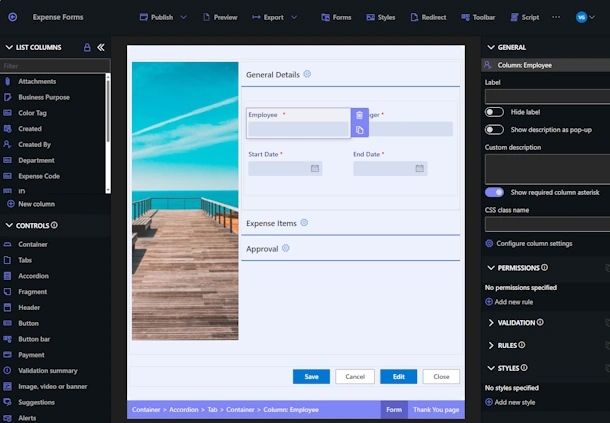
Ultimate Forms enhances this structure by providing customizable forms that guide users through the correct data entry process, ensuring that records are complete and consistent.
Smart Forms that Adapt to Asset Types
Different assets require different information. A laptop may need operating system details and warranty information, while a printer may require maintenance schedules and supply tracking.
Ultimate Forms allows administrators to create smart forms with conditional logic. Fields automatically appear or hide depending on the asset type selected.
For example:
-
Selecting Laptop can display CPU, RAM, and operating system fields.
-
Selecting Printer can display toner status and maintenance information.
This approach keeps forms simple for users while still capturing the detailed information needed for effective asset management.
Mobile Updates from Anywhere
Asset management often happens away from a desk. IT staff may be installing equipment, facilities teams may be checking devices across multiple locations, or employees may need to report issues from the field.
Ultimate Forms automatically creates mobile-friendly forms that adapt to smaller screens. Users can update asset records directly from their phones while interacting with the equipment.
Staff can quickly:
-
Capture asset photos
-
Update device status
-
Record notes or maintenance details
-
Assign assets to employees
By allowing updates to happen immediately in the field, organizations reduce delays and maintain more accurate records.
QR Code Scanning for Fast Asset Lookup
Many organizations attach QR codes or barcodes to their equipment to simplify tracking.
With a SharePoint-based asset system, each QR code can link directly to the corresponding asset record. When a user scans the code with their phone, the asset record opens instantly.
This makes it easy to:
-
Verify asset details
-
Update equipment status
-
Log maintenance activity
-
Confirm ownership or assignment
QR code integration eliminates time-consuming searches and allows users to interact with the correct asset record immediately.
Automated Notifications and Alerts
Tracking assets also requires timely action. Warranties expire, equipment must be returned, and maintenance schedules need to be followed.
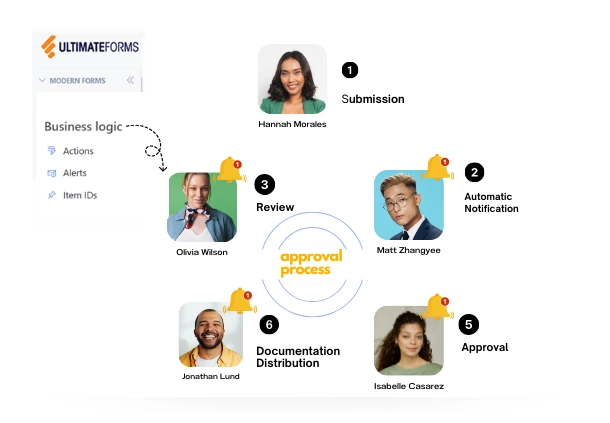
Ultimate Forms includes automation features that allow administrators to configure alerts and workflows without programming.
Examples include:
-
Notifications when warranty dates approach
-
Emails when assets are assigned or returned
-
Alerts when maintenance deadlines are approaching
-
Reminders when equipment has not been returned
These automated notifications help organizations stay proactive and avoid missed maintenance or lost equipment.
Visual Status Indicators
Large asset inventories can quickly become difficult to interpret when reviewing lists of records.
Ultimate Forms provides visual indicators and color-coded status icons that display directly in SharePoint views. These indicators allow users to immediately identify conditions such as:
-
Overdue maintenance
-
Assets awaiting approval
-
Devices currently assigned
-
Equipment that is inactive or retired
Visual cues allow teams to quickly spot issues and take action without digging through individual records.
Powerful Search and Filtering
As asset inventories grow, locating specific equipment becomes increasingly important. SharePoint views combined with Ultimate Forms filtering tools allow users to quickly find assets based on criteria such as:
-
Department
-
Asset category
-
Assigned employee
-
Current status
-
Location
Filtered views allow different teams to focus only on the assets relevant to their responsibilities, improving efficiency and usability.
See the Full Solution in Action
SharePoint provides a powerful foundation for managing organizational data. When combined with Infowise Ultimate Forms, it becomes a complete no-code platform for building sophisticated business applications, including asset management systems.
In this webinar, we will demonstrate how these features work together to create a practical, easy-to-maintain asset tracking solution.
All attendees will receive a downloadable template that includes the SharePoint lists, forms, automation rules, and configuration settings used in the demonstration. This allows you to quickly implement the solution in your own environment.
If your organization is currently managing equipment with spreadsheets or disconnected tools, this session will show how SharePoint and Ultimate Forms can transform asset tracking into a structured, automated, and mobile-friendly system.
At Infowise, we serve as your strategic partner, assisting in your digital transformation. ULTIMATEforms contains a wide array of SharePoint components, developed to give you the power to innovate, automate, and scale up your processes. ULTIMATEforms helps you create amazing, advanced business solutions based on your SharePoint lists and document libraries, using nothing but your browser! Anything from simple Leave Request or Expense Report and all the way to complex Help Desk or Project Management solutions can be built in minutes, without writing a single line of code.