Managing quality issues shouldn’t require paper forms, spreadsheets, disconnected emails, scattered photos, and hours of manual follow-up. Yet many organizations still rely on a combination of these tools to report problems, investigate what happened, assign corrective actions, and document the final resolution. When information is spread across different systems and communication channels, it becomes difficult to know which issues are still open, who is responsible for the next step, or whether corrective actions have actually been completed.
A disconnected process can also make it much harder to see the bigger picture. Individual quality issues may be resolved, but important information about root causes, recurring defects, overdue actions, or problem areas can remain buried in spreadsheets and email threads. Without a centralized Quality Management System, issues can be overlooked, corrective actions can be delayed, and the same problems may continue to occur without management recognizing the pattern.
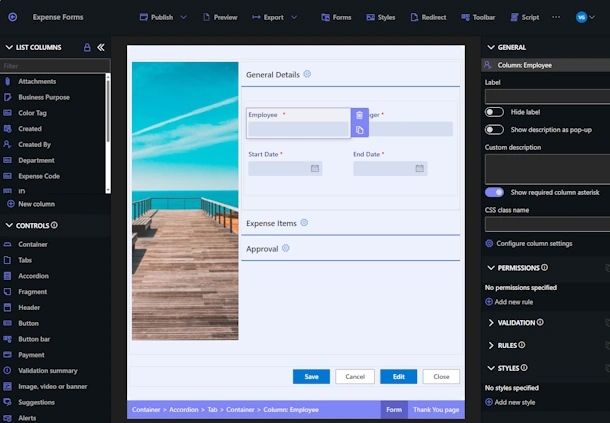
In our next webinar, we’ll demonstrate how Infowise Ultimate Forms can be used to build a complete, modern Quality Management solution directly in SharePoint — without writing code. We’ll walk through a practical example that manages the entire lifecycle of a quality issue, beginning with the moment a problem is discovered and continuing through review, investigation, corrective action, verification, and final closure.
The process starts where quality problems are actually found. An employee working on the shop floor can quickly report an issue using a shared tablet, workstation, or other device. Instead of finding a paper form or waiting until they return to their desk, the employee can enter the important information immediately while the details are still fresh.
Photos can be captured directly as part of the quality record, making it easy to document a defective part, damaged material, incorrect assembly, packaging problem, or other visible concern. Those photos remain connected to the issue throughout the process, eliminating the need to take pictures separately and then figure out how to email, upload, rename, and organize them later.
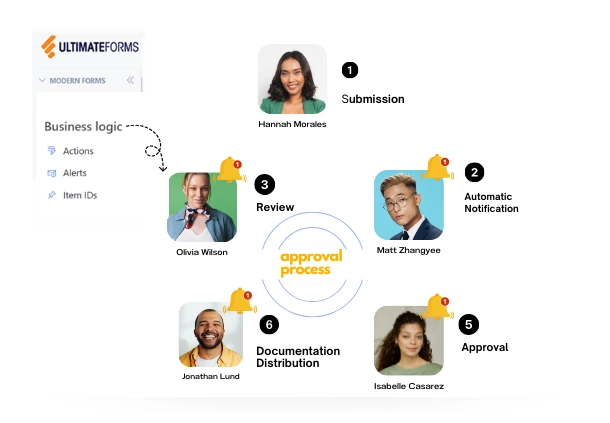
Once submitted, the quality issue becomes part of a structured workflow. The appropriate quality manager or reviewer can evaluate the report, determine its priority, assign responsibility, and decide what happens next. Ultimate Forms can automatically control which information is displayed or required at each stage so employees only need to work with the fields and actions that are relevant to them.
When an investigation is required, the solution can capture possible causes, investigation notes, supporting documentation, and the identified root cause. Rather than maintaining this information in separate documents or email conversations, everything remains connected to the original quality record in SharePoint. This creates a single source of information that can be referenced throughout the investigation and long after the issue has been closed.
Corrective actions can then be created and assigned to specific people with owners, due dates, completion statuses, and supporting information. A single quality issue may require several different actions involving multiple departments or employees. The system provides a centralized view of those actions so the quality team can immediately see what has been completed and what still requires attention.
Automation can handle much of the follow-up that would otherwise depend on someone remembering to send an email. Notifications can be sent when work is assigned, reminders can be generated as due dates approach, and overdue actions can be escalated automatically. Instead of quality managers spending their time manually chasing updates, the system helps keep the process moving.
Completing a corrective action doesn’t necessarily mean the quality issue is finished. The solution can also support a verification stage in which the quality team reviews completed actions, confirms that the appropriate corrections have been implemented, and determines whether the issue is ready to close. This provides a clear and consistent process from the original report all the way through final resolution.
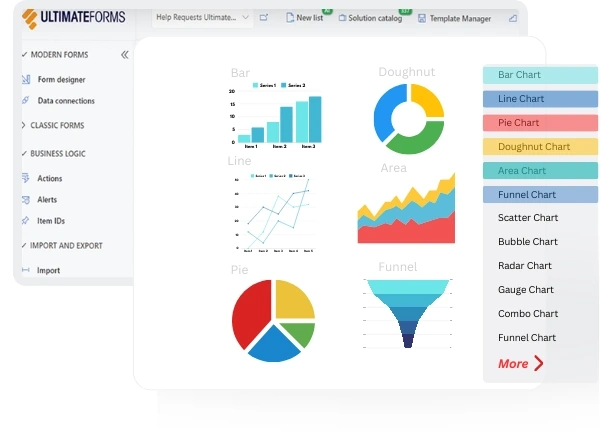
Management visibility is another important part of an effective Quality Management System. Because the information is stored in SharePoint, dashboards and reports can provide a real-time picture of quality performance across the organization. Managers can monitor open issues, overdue corrective actions, issue categories, root causes, resolution times, and other important KPIs without manually assembling reports from multiple sources.
Historical information can also help reveal trends that may not be obvious when looking at individual incidents. If a particular type of defect begins occurring more frequently, a specific process repeatedly generates issues, or corrective actions are consistently becoming overdue, dashboards can make those patterns easier to recognize. This allows the organization to move beyond simply reacting to individual quality problems and begin identifying opportunities for continuous improvement.
Throughout the entire process, the SharePoint record maintains a centralized history of the issue. Submissions, assignments, status changes, approvals, investigation details, photos, documentation, corrective actions, and final verification can all remain associated with the same record. This creates a complete audit trail that can be invaluable during internal reviews, customer inquiries, compliance activities, or formal audits.
Best of all, the solution we’ll demonstrate is built using SharePoint and Infowise Ultimate Forms without requiring custom development. Organizations can configure forms, business rules, processes, notifications, dashboards, and related information using no-code tools while continuing to store their data within their existing Microsoft 365 environment.
Key topics include:
-
Capture quality issues directly from the shop floor or from SharePoint
-
Take and attach photos directly from the quality reporting form
-
Create a consistent, structured process for reviewing new quality issues
-
Prioritize issues and assign responsibility to the appropriate people
-
Automate investigations and corrective-action workflows
-
Document possible causes and identify the final root cause
-
Assign multiple corrective actions with owners, due dates, and statuses
-
Track resolutions, investigation details, photos, and supporting documentation
-
Send automatic assignment notifications, reminders, and overdue escalations
-
Verify completed corrective actions before closing an issue
-
Monitor quality performance with dashboards, KPIs, charts, and reports
-
Track open issues and overdue actions in real time
-
Identify patterns and trends before they develop into recurring problems
-
Maintain a complete chronological audit trail for every quality issue
-
Build the entire solution using SharePoint and Ultimate Forms with no custom code
Join us to see how SharePoint and Infowise Ultimate Forms can transform quality management from a collection of disconnected tasks into a structured, automated process. We’ll demonstrate the complete workflow from initial reporting through review, investigation, corrective action, verification, and final closure, while showing how each stage contributes to better visibility and accountability.
Attendees will also receive the complete downloadable Quality Management solution immediately after the presentation, giving you a working example that you can explore, modify, and adapt to your organization’s own quality management requirements.
At Infowise, we serve as your strategic partner, assisting in your digital transformation. ULTIMATEforms contains a wide array of SharePoint components, developed to give you the power to innovate, automate, and scale up your processes. ULTIMATEforms helps you create amazing, advanced business solutions based on your SharePoint lists and document libraries, using nothing but your browser! Anything from simple Leave Request or Expense Report and all the way to complex Help Desk or Project Management solutions can be built in minutes, without writing a single line of code.