Using tenant-wide settings, your Farm (SharePoint) administrator can allow only certain mailboxes for import profiles.This lets the administrator block access to any mailbox not approved for import, for privacy and security reasons. Note that import profiles added before this feature was available will not change right away. However, you will not be able to save those profiles again. This applies if the email is not on the administrator’s configured list. It also applies only if the administrator enabled this setting.
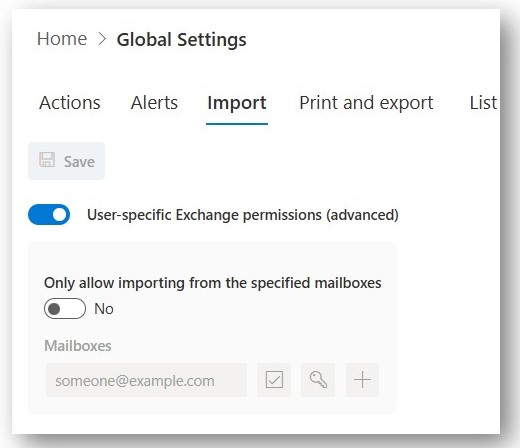
If you have already granted tenant-wide (application) permissions, granting user-specific ones will not revoke that grant. If you are transitioning from tenant-wide to user-specific permissions, make sure to first grant permissions to all specific mailboxes currently in use. Failure to do so before revoking tenant-wide permissions will lead to loss of access and errors.
Once you have successfully granted access to all relevant mailboxes, you can revoke the tenant wide permissions:
- Navigate to Entra ID
- In the left-side menu click on Enterprise apps
- Search for Import and locate the app with ID 9132f20d-17ad-4d75-bac0-902ce85de022
- Under Properties tab click on Delete



