Introduction
Many organizations know the pain of paperwork. Printed forms gathering dust, manual signatures being chased by email, physical drafts getting lost and data entry errors mounting. While digital tools exist, often the process remains fragmented. Some steps still rely on paper, others on separate systems. And the result is a hybrid workflow that is inefficient, error-prone and costly.
With Ultimate Forms, businesses can fully digitalize their paperwork within SharePoint. It helps implement form-based data capture, approval logic, automated notifications and document generation—all without writing code.
In this article we’ll explore why paperwork persists, how automation changes the game. And specifically how Ultimate Forms becomes the enabler for replacing manual paperwork workflows with digital process automation inside SharePoint.
Why Paperwork Still Lingers
Manual steps create bottlenecks
When employees fill out paper forms or static PDF templates, the process requires scanning, manual data entry or forwarding by email. Each human touch adds time, error risk and delay.
Siloed systems and duplicate data entries
Often the form is still paper, then someone transcribes data into an ERP or SharePoint list. This duplication increases errors and wastes time.
Lack of visibility and auditability
Paper forms are filed, perhaps scanned, but rarely tracked digitally. Managers struggle to see where a form is in the process, how many are outstanding, or if all required approvals were obtained.
Maintenance and version control headaches
Updating a form layout means printing new copies, distributing them, controlling versions. The risk of someone using an outdated form remains.
Ultimately, what seems like a small administrative burden becomes a drag on efficiency, accuracy and transparency.
How Automation Changes the Equation
Streamlined data capture
Replacing paper forms with digital forms means instant entry, validation and routing. Data goes directly into the system, reducing errors and speeding flow.
Real-time workflows and approvals
Automatic routing of forms to the right person, with notifications and reminders ensures faster turnaround. Approvals can happen directly in a browser or mobile device rather than chasing paper.
Audit trail and tracking
Every form submission becomes a tracked item—who filled it, when, what stage it’s at—all visible in one place. This visibility supports audit, compliance and accountability.
Version control and updates made simple
Update your digital form once, publish it, and all users have the latest version. No reprints, no confusion.
Cost, waste and sustainability benefits
Less paper means less printing, less filing, less storage. Digital processes support sustainability goals and reduce physical overhead.
Ultimate Forms: The Automation Enabler in SharePoint
While paper-to-digital is the broad idea, the challenge lies in making digital forms part of an integrated business application—not just a replacement for paper. This is where Ultimate Forms shines.
No-code form designer
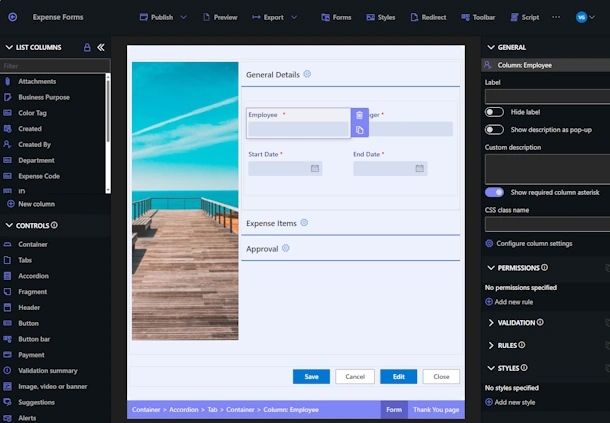
With Ultimate Forms you design forms in the browser, tailoring columns, layout, tabs, containers, visibility rules—all without writing code. The form becomes the first step in your automated process.
Actions engine for automation
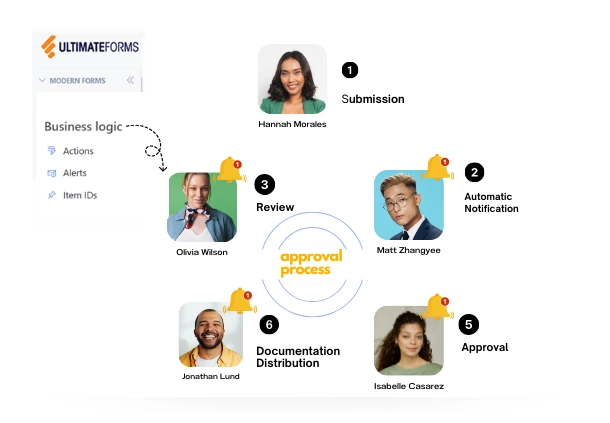
Beyond the form, Ultimate Forms provides the Actions component that replaces manual paperwork tasks: item creation, document generation, notifications, updates, conditional logic. Instead of printing a form and waiting for signatures, you configure an Action that triggers automatically.
Print and export templates
For organizations still needing documents (contracts, certificates, acknowledgements) Ultimate Forms allows you to generate branded PDFs programmatically—without printing and manual signing.
Integration inside SharePoint
Since this works within SharePoint lists and libraries, you avoid creating separate systems. Your data sits in one place, your forms feed into your lists, your actions update your items—creating an end-to-end solution.
Real-life reuse and scalability
Because the digital form + automation model is reusable, you can replace multiple paper-based processes using the same platform and design patterns.
Real-World Scenarios: From Paper to Process
Scenario 1: Employee Expense Claims
Paper: employees fill out a claim form, attach receipts, hand in to manager. Manual review, manual data entry into finance system.
With Ultimate Forms: employee fills out digital SharePoint form, uploads receipts, automated rules route to manager. Once approved an Action triggers finance entry and sends PDF summary. No paper, no entry duplicates.
Scenario 2: Purchase Requisitions
Paper: a printed requisition form moves through department heads via signatures. Risk of loss, delays, no visibility.
With Ultimate Forms: form captures requisition details, an Action assigns managers based on department. When approved it generates PDF order request, stores automatically in library. You now have full traceability and faster processing.
Scenario 3: Compliance Checklists
Paper: site worker completes checklist on clipboard, then someone manually files it. Hard to track and audit.
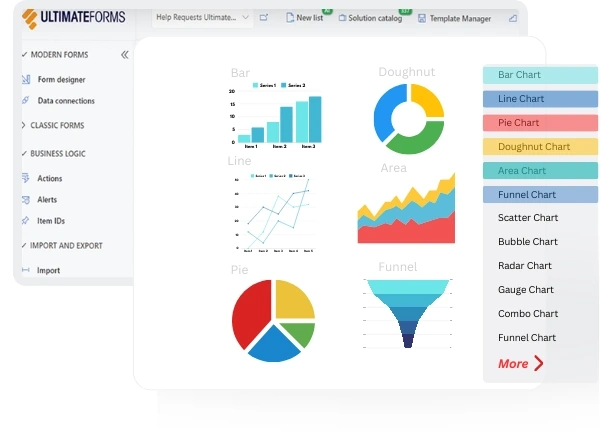
With Ultimate Forms: digital checklist form pushes data into SharePoint list. Actions send supervisor notifications for failures, dashboard shows overdue items, PDF reports export monthly. Efficient and auditable.
Best Practices for Replacing Paperwork With Automation
-
Start with high-volume manual processes: prioritize forms that generate many copies or long approval chains. These deliver biggest value.
-
Map the full process: not just the form, but approvals, data entry, outputs, archiving. Automations must cover the entire workflow.
-
Design user-friendly forms: easier form = higher adoption. Use tabs, containers, validation. Ultimate Forms provides these capabilities.
-
Use audit-ready document outputs: even if you go digital, many processes still require documents. Use print templates to embed logic and branding.
-
Monitor adoption and performance: track how many forms are submitted, how many approvals took how long. Pay attention to process bottlenecks.
-
Govern change and versioning: maintain template versions, document workflows, train users—all part of successful digital transformation.
The Business Case: Productivity, Accuracy, Compliance
Replacing paperwork with automation isn’t just convenience—it delivers tangible benefits. Reduced data entry errors mean less rework. Faster approvals mean faster time-to-action. Immediate digital records mean better traceability. Add in sustainability gains and lower overhead for printing and storage. With Ultimate Forms, the ROI is amplified because you avoid custom development, keep everything in SharePoint and empower business users to build or adjust processes themselves.
Summary
Paperwork remains a drag on productivity, visibility and control. But simply converting a paper form into a PDF isn’t enough. It’s the automation around the form that delivers value. With Ultimate Forms in SharePoint you replace not just the paper, but the entire manual journey. Form capture, approvals, routing, document generation, archiving, dashboards—all configured without code.
If you are ready to move from paperwork to process-automation, explore how Ultimate Forms accelerates your digital transformation journey.
Add your comment