Business process mapping is the practice of drawing how work actually gets done: a visual representation of a process showing every step, who performs it, what triggers it, where decisions branch, and where it ends. A finished map answers, on one page, the questions organizations otherwise answer by folklore: what do we do, in what order, who is responsible, and how do we know it worked. It is the standard first step of any automation or digital transformation effort, because you cannot improve, standardize, or digitize a process you have never actually looked at.
This guide covers what goes into a process map, how to create one in seven steps, where mapping pays off, and the step most guides skip: turning the drawing into a working system.
A century-old idea that keeps proving itself
If you think business process mapping is a recent arrival that came in on the digital wave, you're off by about a hundred years. The concept dates to the early 1920s, when Frank Bunker Gilbreth, industrial engineer and efficiency pioneer, presented the process flow chart to the American Society of Mechanical Engineers. His purpose reads as remarkably current: eliminate loops and redundancies, streamline the tasks in a process, and increase efficiency. In an era consumed by industrial productivity, the idea caught on quickly, and efficiency experts adapted it to processes of every kind.
A century later, mapping has become a core component of Business Process Management (BPM) and the natural on-ramp to workflow automation. The tools changed, from clipboards to flowcharting software to no-code platforms, but the underlying insight has not: processes drawn are processes understood, and processes understood are processes you can fix.
The six components of a process map
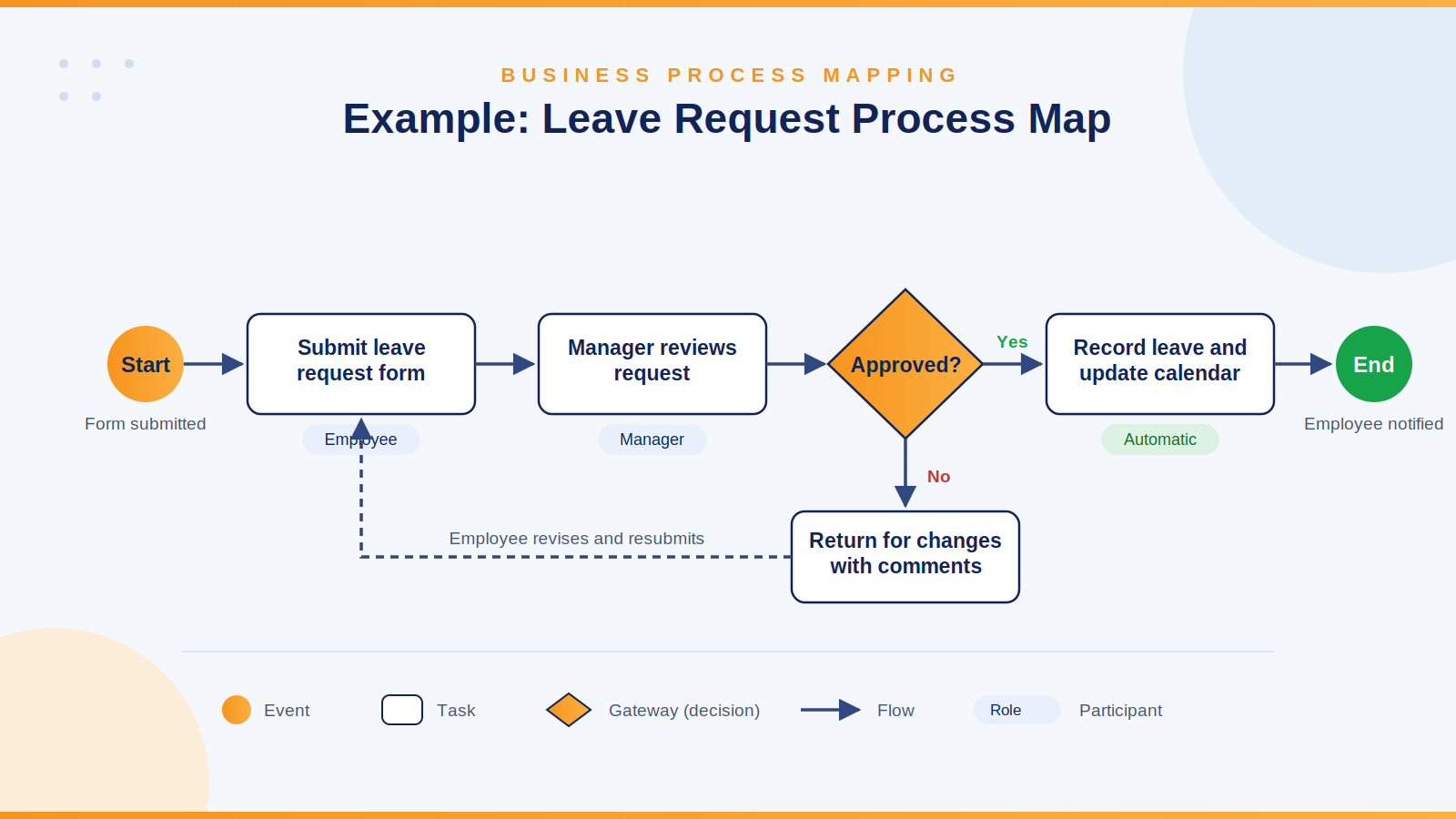
Every notation and tool, from a whiteboard sketch to formal BPMN, works with the same building blocks. (For a fuller formal treatment, Smartsheet maintains a useful reference; the essentials are below.)
- Process: the entire workflow, from initiation to completion, the boundary of what you are mapping.
- Tasks: the breakdown of the process into smaller, standalone units of work, each with a clear done-state.
- Flow: the sequence connecting the tasks, drawn as arrows and connecting lines, showing what follows what.
- Events: the triggers and cues that cause a process to start, pause, continue, redirect, or end, a submitted form, a passed deadline, an approval.
- Gateways: the decision points that alter the course of the process, amount above threshold goes to the CFO, below it to the manager.
- Participants: the people involved, with their assigned roles, who submits, who reviews, who approves, who gets informed.
Notice that four of the six, tasks, events, gateways, participants, translate directly into system concepts: form submissions, triggers, conditions, and permission roles. That correspondence is why a good map is halfway to an implementation, a point we will return to.
How to map a process in seven steps
- Pick one process and set its boundaries. Start with a process that hurts, one with delays, errors, or constant status-chasing, and define where it begins and ends. Leave request, from submission to recorded decision, is a fine first candidate.
- Identify the participants. List everyone who touches the process, including the roles nobody remembers until step five reveals them.
- Walk the process with the people who run it. Not the documented version, the real one. The gap between the official process and the actual one is where most of the findings live, and only the people doing the work know the actual one.
- Draw the current state. Tasks in boxes, flow as arrows, gateways as decision diamonds, events marked at start and end. Resist the urge to fix anything yet; the value of the current-state map is its honesty.
- Interrogate the map. Every loop, every handoff, every wait is a question. Why does this go back for a second signature? Why does this wait in an inbox for three days? Why do two departments keep separate copies of the same data?
- Draw the future state. Remove the redundancies the questions exposed, standardize the variants, and mark which steps a system should perform instead of a person: notifications, routing, status changes, reminders.
- Implement, measure, and re-map. A map that ends life as a wall poster changed nothing. Build the future state, measure it against the old baseline, and revisit the map when reality drifts, because it will.
Where mapping earns its keep
Over the past decade especially, mapping has moved from an engineering specialty into the everyday administrative and strategic fabric of organizations of every size. The applications cluster into a few families. Operations teams map for standardization and automation, making sure the process runs one way rather than one way per person, and identifying which steps machines should own. Compliance teams map for audits and certifications, ISO 9001 and Sarbanes-Oxley both effectively require demonstrating that processes are defined and followed, and a current map is that demonstration. HR and training teams map for onboarding, because a new hire with a process map is productive in days instead of months, and for communication, since a shared picture ends most arguments about who was supposed to do what. And leadership maps for change: re-engineering, crisis response, and innovation all begin with an accurate picture of the present.
The common thread is user-centricity. Mapping forces the organization to see its processes as the people inside them do, which is precisely the perspective digital transformation efforts need and most often lack. Transformations that digitize unexamined processes simply produce faster versions of the same problems, several of which we cataloged in Seven Deadly Sins of SharePoint.
From map to working system
Here is where most mapping guides stop, and where the real return begins. A future-state map is a specification, and with the right platform, a surprisingly complete one.
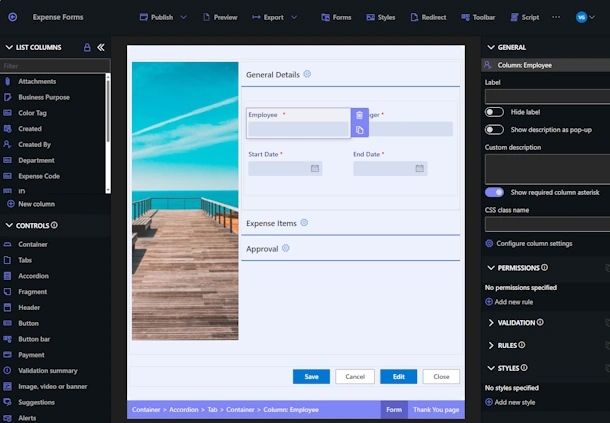
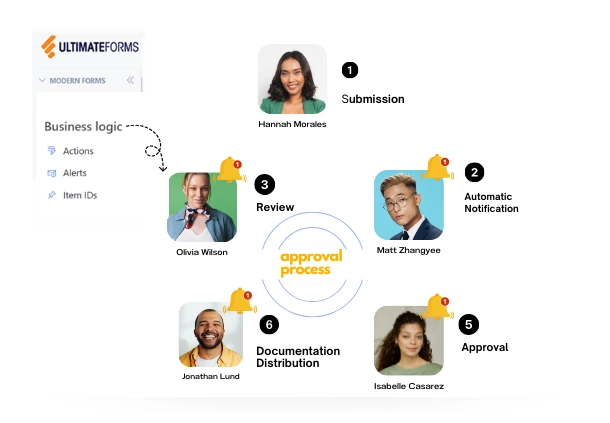
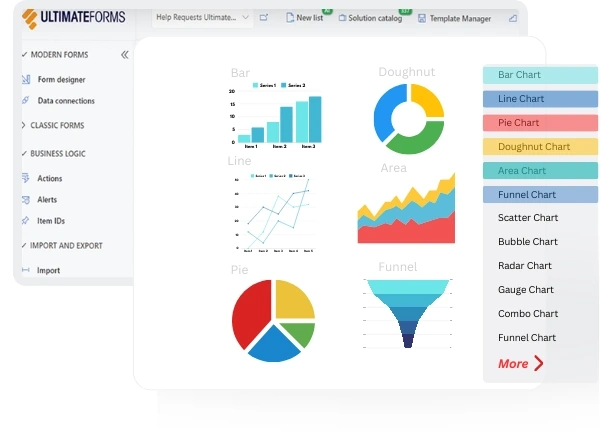
Take the leave request map. Its participants become form users and approvers. Its start event becomes a form submission. Its tasks become form sections and automated actions. Its gateways become conditions, requests over ten days route differently than requests under. Its notifications become alerts, and its measurement becomes a dashboard. In Ultimate Forms, that translation happens without code: the map's boxes and diamonds turn into configuration rather than a development project, following the approach in Building a Business Process in SharePoint, with process stages visualized right on the form so participants always see where things stand.
Two practical accelerators are worth knowing. First, you rarely map alone: the library of 450+ solution templates amounts to pre-mapped, pre-built versions of the most common business processes, and comparing your map to the corresponding template is a fast sanity check on both. Second, implementation feedback improves the map: once the process runs in a system, the system's data shows where reality diverges from the drawing, closing the loop that step seven began.
This is the deeper significance of mapping for digital transformation. The map is not documentation produced alongside the change; it is the interface between the business people who understand the process and the platform that will run it. Organizations that treat it that way transform processes in weeks. Organizations that skip it automate their confusion.
Add your comment