Why does SharePoint make printing so hard?
Trying to get print output using out of the box SharePoint is ridiculous. The options available require confusing work arounds or convoluted steps. There is no fast and friendly printing option for out of the box SharePoint. If you try, you will quickly realize better tools are required.
Printing shouldn't be difficult. And yet somehow, when it comes to out of the box SharePoint Microsoft makes it very difficult.
Printing documents isn't a problem, because these can be downloaded and printed from your local computer. But when it comes to SharePoint lists and forms there is no print option included.
SharePoint lists are the heart of SharePoint. We need a good way to output individual records and list views. Since Microsoft doesn't offer any print capabilities, what is the best solution?
Ultimate Forms Smart Printing to the Rescue
Infowise Ultimate Forms provides a comprehensive print template system which is easy to use while including loads of options. Want to get started? There is only one pre-requisite. You should know how to make a Microsoft Word document. Any formatting you apply in your Microsoft Word document will be used in the print template including font styling, tables, borders, pictures and anything else that you already do in Microsoft Word.
To prepare your Word document for use in SharePoint, simply reference the columns in your SharePoint list. For example, if you want to include the "Title" field from your SharePoint list simply reference the field in the document using brackets like this [[Title]]. That's it. Reference the columns in your list using this pattern.
You can make really nice looking print templates by using tables as explained in this article.
You can create precisely controlled print layouts:
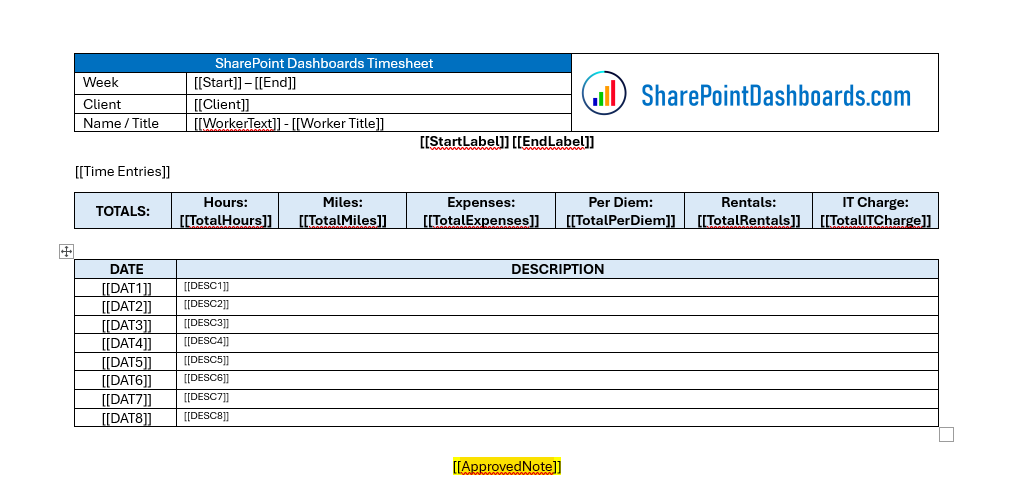
Once your document is ready, load it to the Ultimate Forms Print Template screen and you are ready to go.
Print Output Any Way You Want It
The content can be output to a Word Doc, PDF or Excel. It can also be set to go automatically via email. Once the template is loaded, you have multiple options to get the output:
- Print the form directly from the SharePoint list view
- Set up an action to automatically email the form as a PDF
- Set up an action to automatically save the form as a PDF to a SharePoint library
Tweaking the appearance of the output is straightforward. Just use the tools and options in Microsoft Word. What you see is what you get.
One Print System to Handle All Situations
There are so many scenarios where print templates are valuable in SharePoint including:
- Timesheets
- Expense Reports
- Purchase Orders
- Sales Orders
- Approval Requests
- Project Summaries
- Inspection Reports
If your data is in a SharePoint list, then you can easily use the Ultimate Forms Print Template System to output your data.
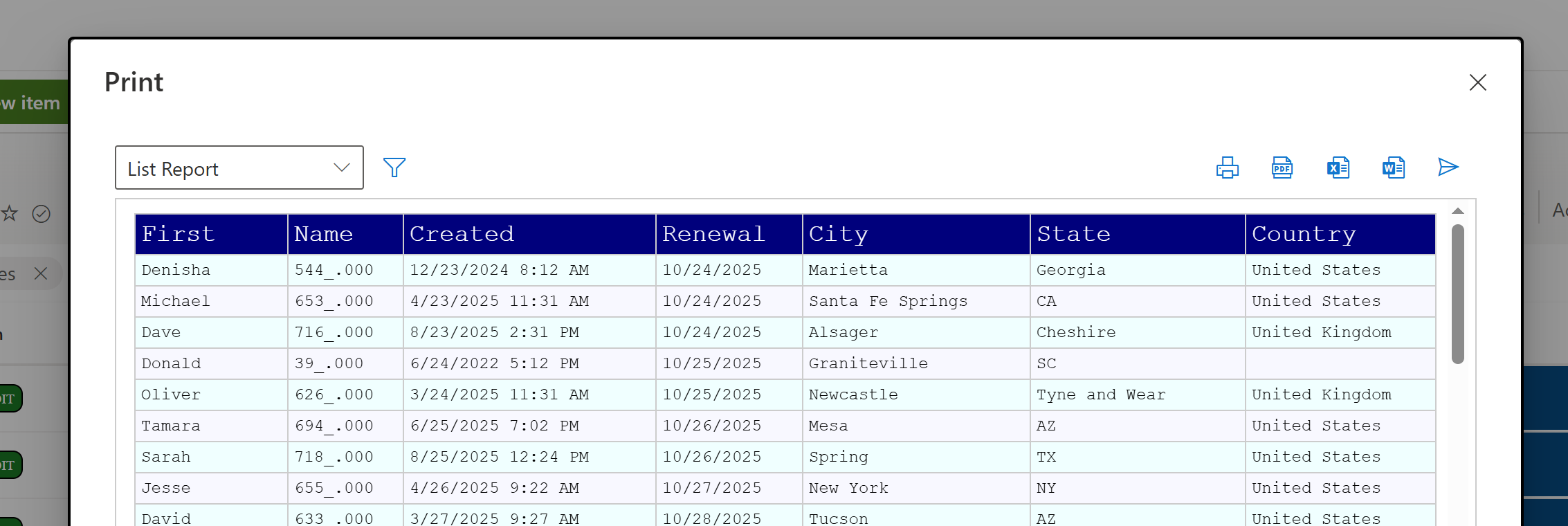
If printing out summary list views is needed, then a Word Template is not required. Configuring a few simple options from within the Print Template manager. The output looks nice!
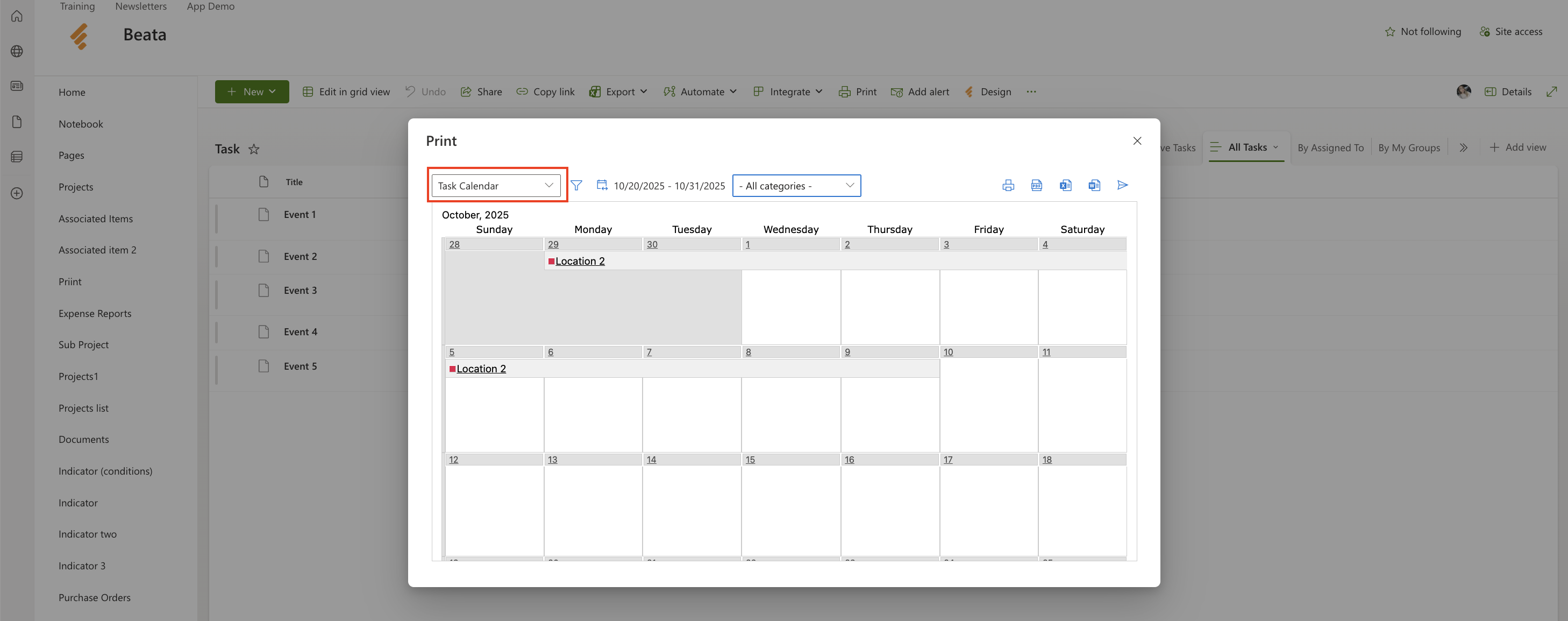
We even include print capabilities for our Custom Event Calendar:
End the SharePoint Printing Headache Today
Printing is key functionality for reporting and record keeping when it comes to SharePoint. If you are wondering how to solve printing in SharePoint, then you will want to try out Ultimate Forms right away.
New customers can sign up for a free 30 day trial to test out the print functionality to see exactly how it works. Printing is just the tip of the iceberg! The next best thing to try is the awesome Ultimate Forms Form Designer which allows you to build great looking SharePoint forms without ever having to use any custom code. Hook this up to Ultimate Forms Email Alerts and a full set of Ultimate Forms Actions and you soon have a complete SharePoint solution. If you have any questions or want to talk to use more, contact us or sign up for a demo meeting so that we can answer your questions directly.
Add your comment